
PDF Guides
How to Redact a PDF and Remove Hidden Metadata
Redacting a PDF means permanently removing sensitive text or images before you share the document — not just covering them with a black box that can be selected and copied out. It matters any time you're sharing a document that contains information the recipient shouldn't see.
By GaryLast updated 4 min read
Redact a PDFWhy 'covering' text isn't the same as redacting it
A common mistake is drawing a black rectangle over sensitive text in a PDF viewer or image editor. The text is often still there underneath, and can be copied, selected, or revealed by removing the shape. Real redaction removes the underlying content, not just its appearance.
What people usually redact
Redaction comes up most often with financial statements, legal filings, medical records, and HR documents.
- Account and routing numbers
- Social insurance or ID numbers
- Names of third parties not involved in the request
- Salary figures and other confidential financial details
- Signatures on documents being shared for reference only
How to redact a PDF
The process is straightforward: mark what needs to disappear, then apply it.
- Open the PDF you need to redact
- Draw a box over each piece of text or image to remove
- Apply the redactions — this permanently removes the underlying content
- Download the redacted PDF
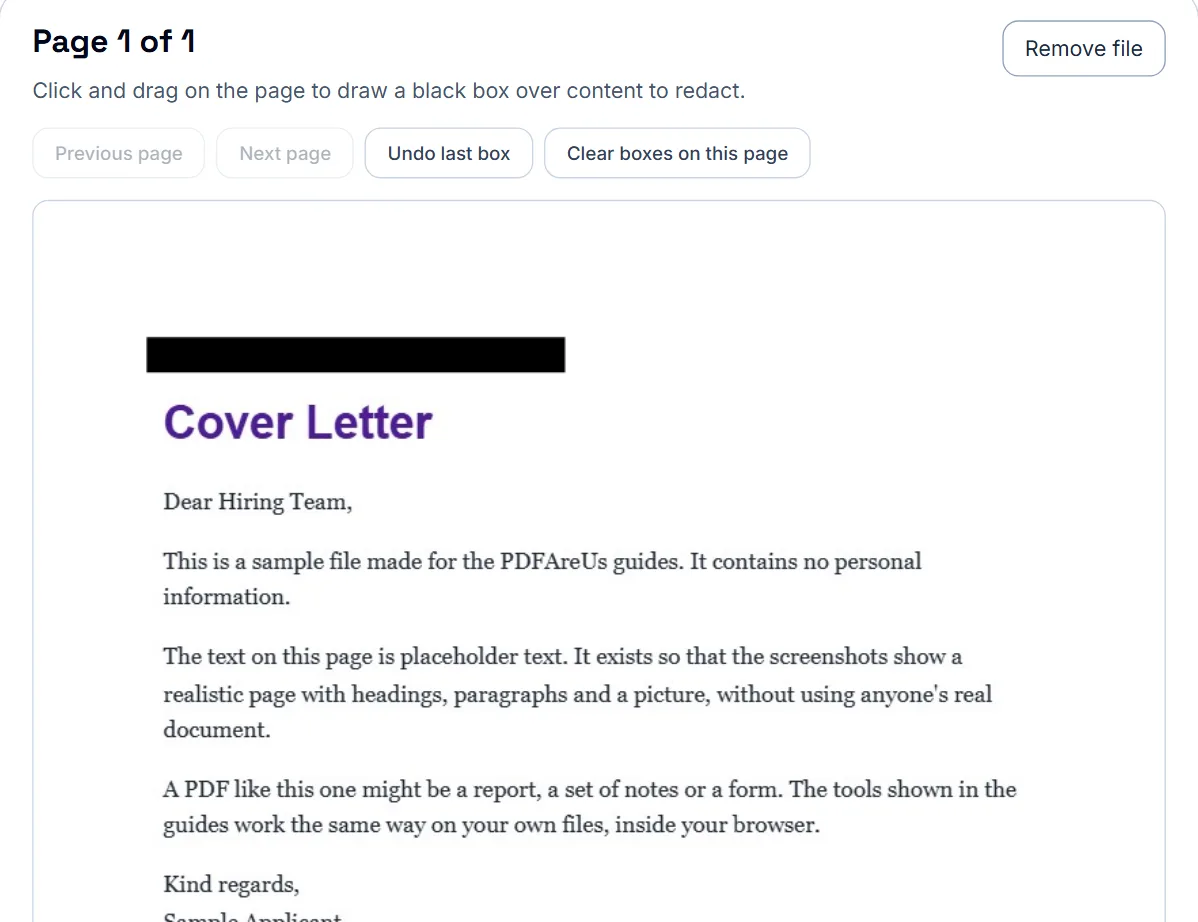
What happens to a redacted page
Use Previous page and Next page to move through the document, and draw a box over each item to hide. Undo last box and Clear boxes on this page fix a misplaced box before you apply anything.
When you select Apply Redactions, every page that has a box is flattened into an image with the boxes burned in. The words under a box no longer exist in the file, so they cannot be selected, copied or searched for. The trade-off is that the rest of the text on those pages is part of the image too and can no longer be selected. Pages without boxes are left as they were.
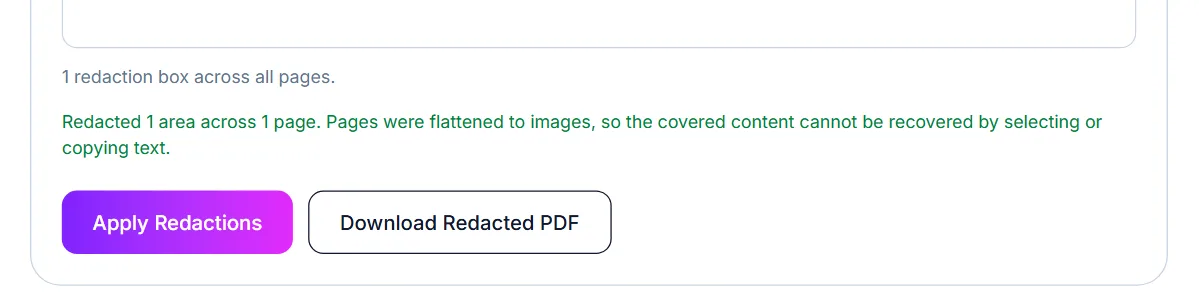
Check the result before you share it
- Open the redacted PDF and try to select the text under a black box. Nothing should highlight.
- Search the document for the name or number you removed, in case it appears on a page you missed.
- Look at headers, footers and page margins, where names and reference numbers are often repeated.
Hidden metadata: what is actually in a PDF
The standard PDF metadata fields are Title, Author, Subject, and Keywords, stored in the file's Info dictionary. Word, Google Docs, and other export tools often fill the Author field automatically with the name on the computer or account that created the file — sometimes a previous employee, a shared template's original author, or your full legal name when you'd rather share it as anonymous.
This is separate from the visible content of the page. You can check a file's current metadata by opening it in a metadata viewer or editor before deciding whether to change anything.
How to check and clear metadata
Open the PDF metadata editor, open the file, and it will show you the current Title, Author, Subject, and Keywords. Clear any field you don't want included, or replace it with something generic, then download the updated file.
- Open the PDF in the metadata editor
- Review what's currently filled in for Title, Author, Subject, and Keywords
- Clear or edit any field that shouldn't be shared
- Download the updated file and double-check the change took effect
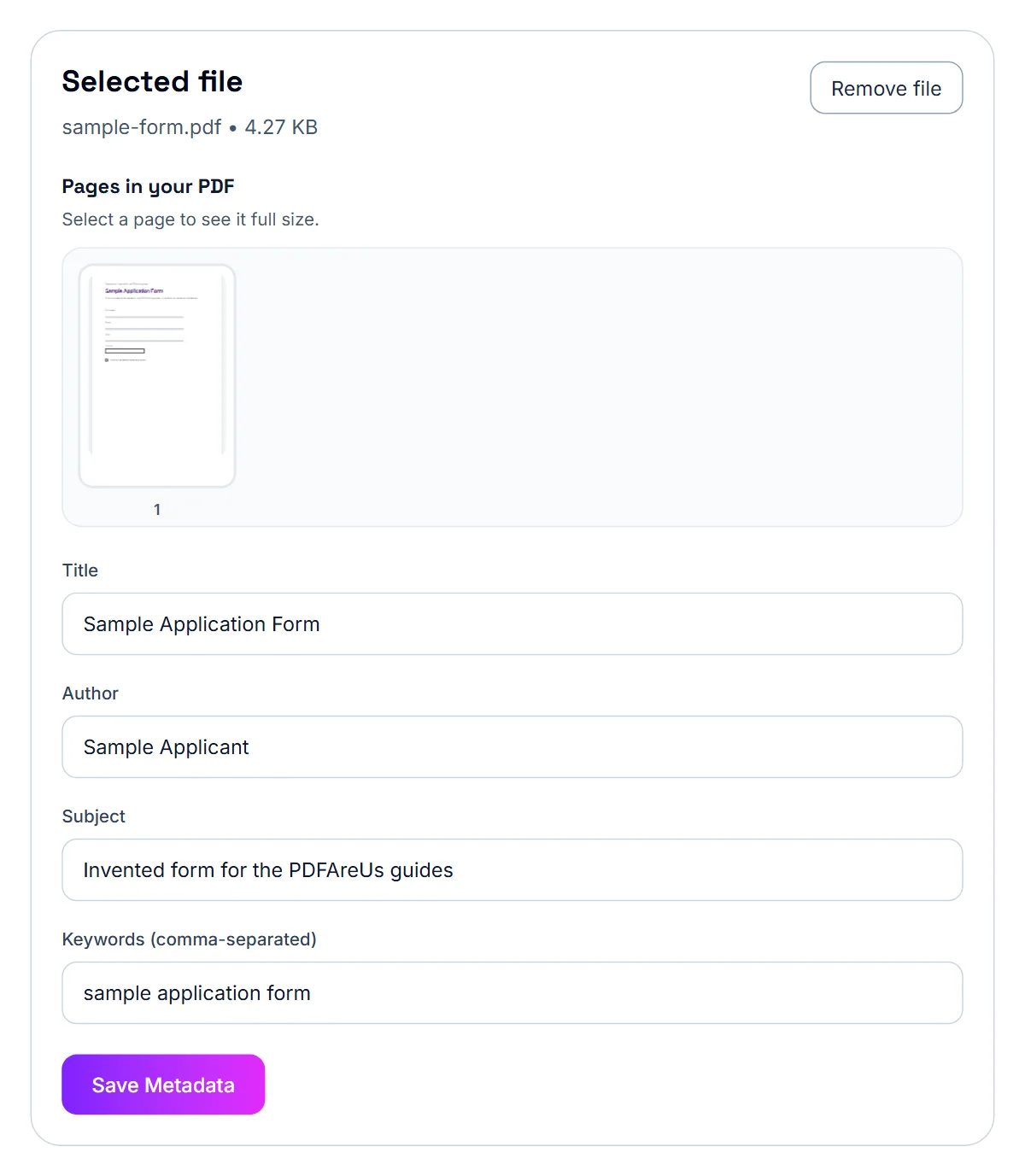
When metadata matters
This is worth doing before sharing a document outside your organization, submitting an anonymous or blind application, or forwarding a file that started life as someone else's template. For most everyday sharing, the metadata fields are harmless, but they're easy to check and clear in a few seconds if you'd rather not include them.
Frequently asked questions
Is redacted text still selectable or searchable afterward?
No. Proper redaction removes the underlying text and image data, not just its visual appearance, so it can't be copied or recovered from the file.
Can I redact multiple areas on the same page?
Yes, you can mark as many regions as needed across as many pages as the document has before applying the redactions.
Should I redact a copy or the original file?
Redact a copy. Keep your unredacted original in a safe place and only share the redacted version.
Does clearing metadata remove GPS or location data?
Standard PDF metadata (Title, Author, Subject, Keywords) doesn't typically include GPS coordinates — that's more commonly an issue with photo EXIF data, not PDF files. This tool clears the identifying text fields a PDF actually carries.
Will this change how the document looks?
No. Metadata is separate from the page content — editing it doesn't touch any text, images, or formatting on the pages themselves.
How do I know what's currently in my PDF's metadata?
Open it in a metadata editor — it reads and displays the current values before you change anything.
Is my file uploaded to a server when I do this?
No, if you use a browser-based metadata editor, the file is processed entirely on your device.