
PDF Guides
Best Free PDF Tools for Students
Students deal with assignments, scanned notes, screenshots, forms, and uploads all the time. These are the most useful PDF tools for keeping those files clean and submission-ready.
By GaryLast updated 4 min read
See all toolsThe most useful PDF tasks for students
The best student tools are not necessarily the most advanced ones. They are the ones that solve practical problems fast: shrinking a file, combining pages, fixing a scan, or turning photos into something uploadable.
- Compress PDF: Useful when an assignment or scanned note is too large to upload.
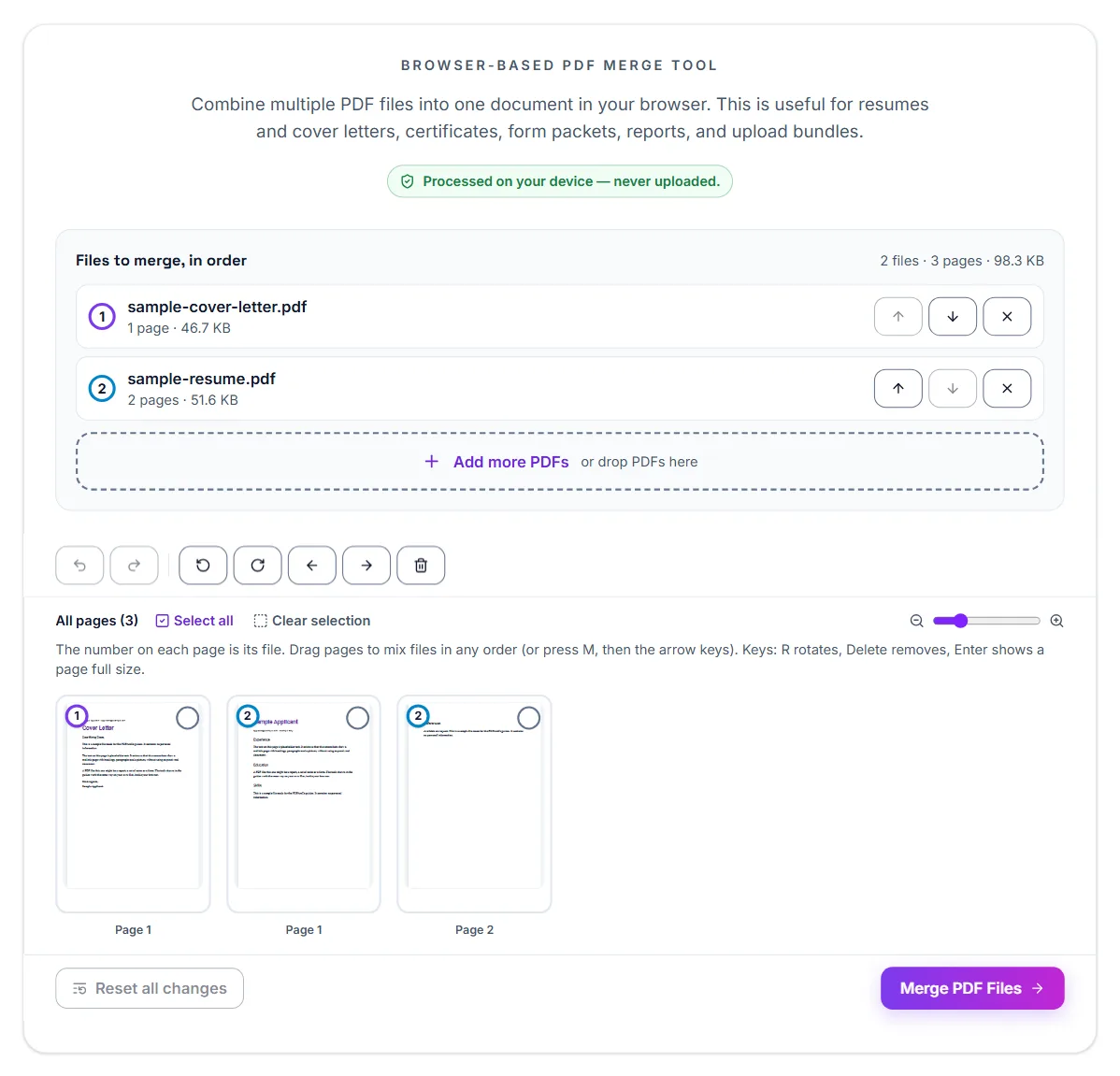
- Merge PDF: Combine a cover page, assignment, and appendix into one file.
- Split PDF: Extract only the required pages from lecture notes or long files.
- JPG to PDF: Turn phone photos, screenshots, and handwritten notes into a document.
- PDF to JPG: Convert pages into images when you need quick previews or sharing.
- Rotate PDF: Fix sideways scanned pages before submission.
Typical student workflows
- Submit an assignment: Merge multiple pages into one PDF, then compress the final file if the portal has an upload limit.
- Upload scanned notes: Turn images into a PDF, rotate any sideways pages, and compress the file if needed.
- Extract only the needed pages: Use split PDF when you do not need to submit the entire document.
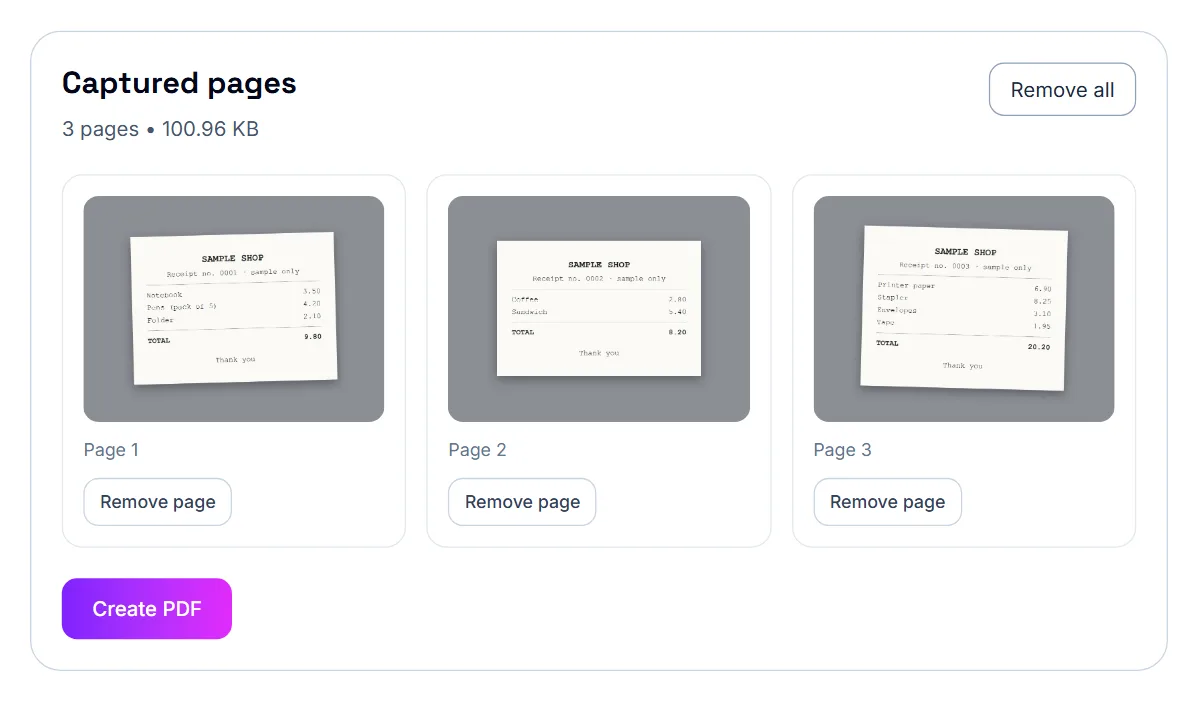
Turning handwritten work into one PDF
Many courses ask for handwritten work as a single PDF. Photograph each page with Scan to PDF, or turn existing photos into a PDF with JPG to PDF, then check the page order and compress the file if the submission portal has a size limit.
Working with lecture notes and readings
PDF Annotator lets you highlight and comment directly on lecture slides or readings. If a reading is a scanned image, OCR PDF recognises the words (English text) so you can copy them. PDF to Text pulls the text out of a text-based PDF when you want to quote it or paste it into notes.
What schools usually ask for
Common uploads include application forms, assignments, transcripts, ID pages, recommendation letters, and certificates. Some systems want one combined PDF, while others prefer separate uploads with strict size limits.
Before you upload to a school portal
- Make sure each page is readable and facing the correct direction.
- Remove extra pages or split the file if only part is required.
- Merge documents only when the system wants one packet.
- Compress the final PDF if the upload limit is small.
- Open the final file once before submitting it.
Most common school upload issues
- Large scanned packets: Assignments and forms scanned from paper often become much larger than expected.
- Wrong pages included: Students often upload full packets when the portal only asks for selected pages.
Common mistakes
- Uploading the file without checking size limits first.
- Combining unrelated documents into one packet.
- Forgetting to rotate sideways scanned pages.
- Not testing whether the final PDF opens correctly.
Applications and scholarships
University and scholarship portals usually want certificates, transcripts and a CV as PDFs, often with a size limit per file. Convert Word documents with Word to PDF, merge the documents the portal wants as one file, and compress anything built from scans.
For international students in Thailand: common document tasks
A few PDF tasks come up repeatedly for expats and international students, regardless of the specific institution or process behind them.
- Scanning a passport, ID, or paper document with your phone instead of hunting for a scanner
- Combining several documents (like certificates and a CV) into one file for a single upload field
- Compressing large scans so they fit under an email or portal's size limit
- Signing a lease, contract, or form without printing it out first
Keep an organized set of ready-to-use PDFs
Since many processes ask for similar documents — passport copy, proof of address, photos, certificates — it's worth keeping a clean, up-to-date PDF of each on hand rather than re-scanning from scratch every time one is requested.
Thailand: a note on official processes
For anything tied to a specific official process — a visa, work permit, university enrollment, or similar — always confirm the exact current requirements with the relevant institution, employer, or a qualified professional rather than relying on general guidance. The tools here handle the document preparation; they don't replace checking the actual requirements.
Free and private
Every tool here is free with no account, and files are processed in your browser rather than uploaded, which is useful for transcripts, IDs and other personal documents.
Frequently asked questions
Should I submit one PDF or many files?
Follow the school portal instructions. Some require one packet, others prefer separate uploads.
What if the PDF is too large for the portal?
Compress it first, then split it if only some pages are needed.
Do I need to install anything to use these tools?
No. Everything runs in your browser — there's nothing to download or install.
Can I sign a document without printing it?
Yes, a typed or drawn signature, or an image of one, can be placed directly on a PDF and downloaded, no printing or scanning required.
Is my document uploaded to a server when I use these tools?
No. Processing happens entirely in your browser, so your files never leave your device.