
PDF Guides
How to Merge Marksheets and Certificates into One PDF for Admissions and Exam Forms (India)
Most Indian job portals and college application forms ask for academic documents, but many give you a single upload slot. Uploading a photo of each marksheet separately does not help when the form wants one file. The fix is simple: scan or photograph each document, merge them into one PDF in the right order, and keep the file small enough for the portal.
By GaryLast updated 6 min read
Merge PDFsWhy one combined PDF works better
Recruiters and admission officers open dozens of applications a day. A single PDF with your documents in a predictable order is faster to review than a folder of loose images, and it removes the chance that one file gets lost or fails to upload.
It also keeps related documents together. Your Class 10 marksheet, Class 12 marksheet and degree certificate tell one story, and a single file preserves that sequence.
Get clean scans first
The merged file is only as readable as the pages you feed it. Place each document flat on a plain, contrasting surface in even daylight, keep the whole page in frame, and avoid shadows from your hand or phone. If you are photographing documents, use the scan to PDF tool so each photo becomes a proper page instead of a loose image.
Include both sides where a document has printed content on the back, such as a grade key or instructions. If a page is blurry when you zoom in, retake it now; nobody can fix a blurred grade after the file is submitted.
Merge the files in a sensible order
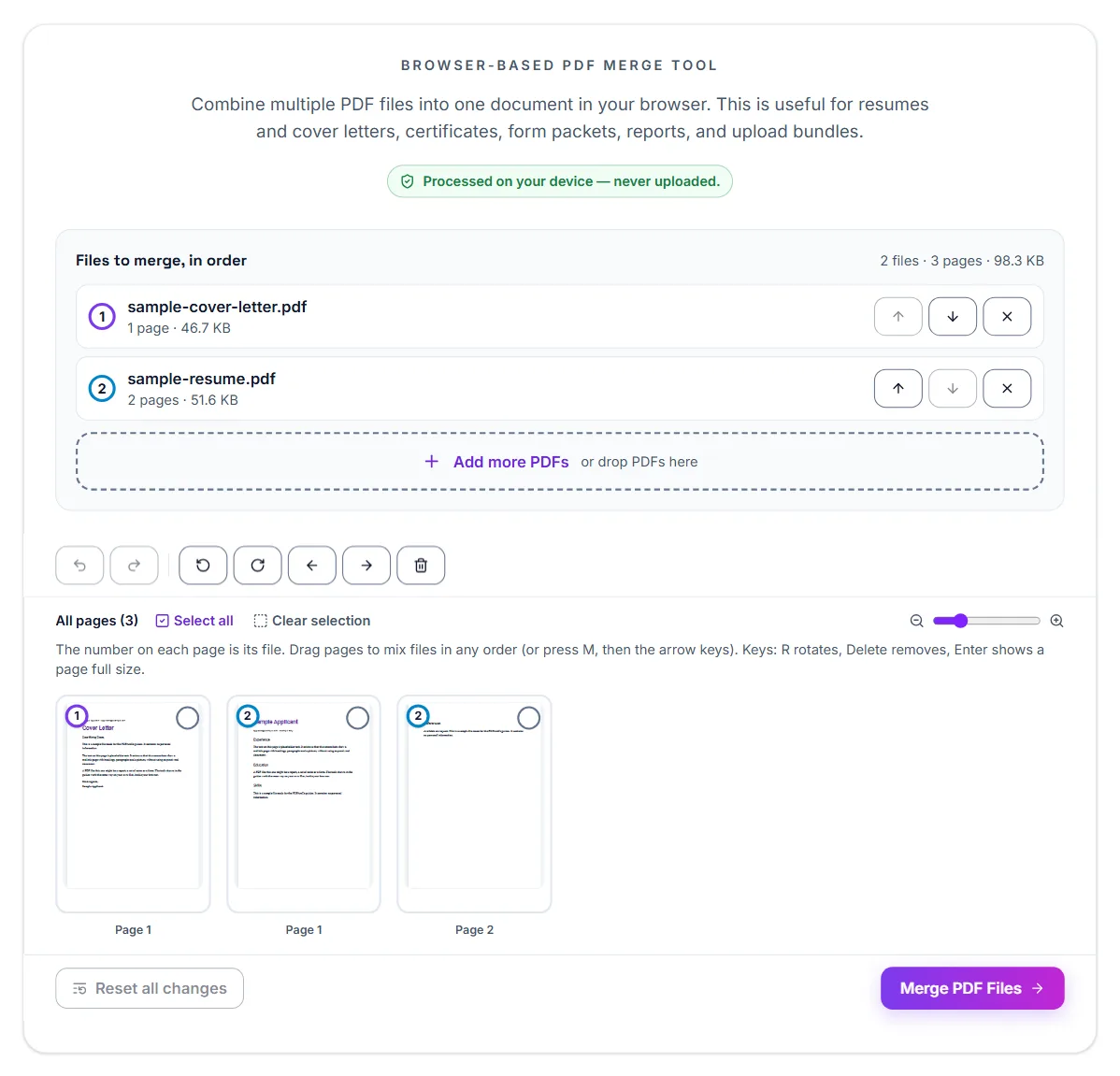
Add every file to the merge tool and arrange them before you combine. A common, easy-to-read order is the earliest qualification first, then later ones, ending with certificates such as your degree or professional courses. If the application form lists the documents in a specific order, follow that order instead.
- Scan or photograph each document as its own page or pages
- Add all files to the merge tool and drag them into order
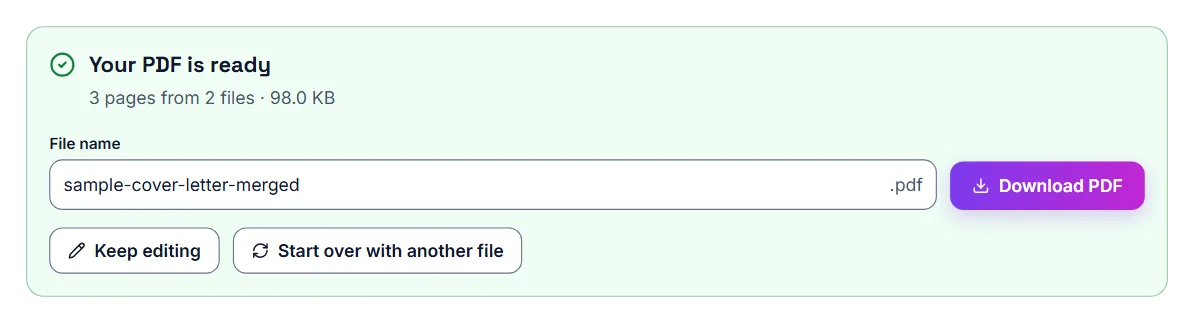
- Merge them into a single PDF
- Open the result and scroll through every page to confirm the order and legibility
Keep the file small enough to upload
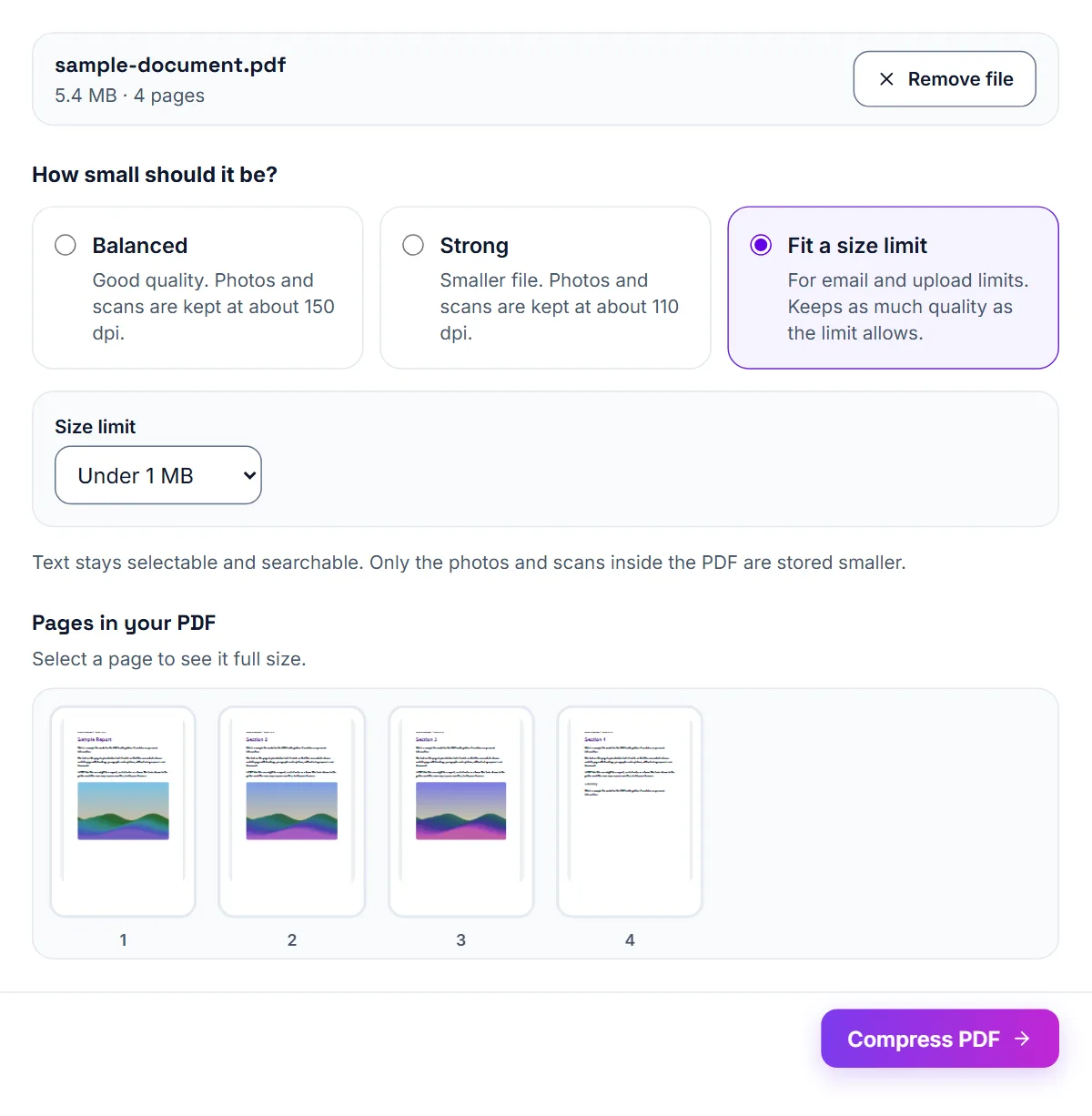
Phone photos of documents can produce large files, and portals often set a maximum size for each upload. Every portal is different, so read the size limit shown next to the upload field or in the application instructions, then compress the merged PDF with Fit a size limit set to that figure. Check the result afterwards: marks, seal text and signatures must still be easy to read.
If the file is still too large, split the documents into two files that match how the form groups them, for example school records in one file and higher education in another, rather than compressing until the text becomes fuzzy.
Exam application forms: read the official notification first
Every exam body publishes an information bulletin or notification that lists what to upload. Formats and size ranges are set by that document, and they can change between exam cycles. Do not rely on numbers from a previous year or a coaching blog. Write down the requirement for each upload before you begin: which format, what minimum and maximum size, and whether the file needs to be a scan or a photo.
Photos, signatures and certificates are different files
Forms often require photographs and signatures as images and certificates as PDFs, with a separate size range for each. Treat them as three separate jobs. For a certificate that must be a PDF, scan it flat and convert it to PDF. If the form needs an image instead, the PDF to JPG tool can turn a page into an image. If it needs a PDF and you only have a photo, the JPG to PDF tool wraps the image in a PDF.
Meeting a minimum as well as a maximum size
Some fields state a range rather than just a limit. A file can be rejected for being too small as well as too large. If your compressed file falls below the minimum, use a slightly higher-quality version instead of forcing it smaller. Fit a size limit helps here: set it to the top of the range and the tool uses the gentlest compression that fits under it, so the file is not made smaller than it needs to be. Check the size shown on the result against the minimum before you upload.
- Note the format and size range for each upload
- Scan certificates flat and in even light
- Convert to the required format
- Adjust the size gently until it sits inside the allowed range
Do a full dry run before the deadline
Prepare every file a few days early and keep them together in one folder with clear names. On the day, you will be uploading files you have already checked instead of scanning in a hurry. Open each file one last time to confirm it is the right document and that names, numbers and dates are readable. Corrections after submission are often limited or not allowed, so a careful check beforehand matters.
Mistakes that cause rejected or ignored applications
The most common problem is a page that is cropped, tilted or unreadable, because the marks or the seal are the parts a reviewer actually checks. The second is a wrong order that makes a file confusing to read. The third is a file name such as scan001 that tells the recruiter nothing.
Before you upload, open the finished PDF as if you were the person reviewing it. If you have to hunt for a document or squint at a number, fix it now. Give the file a clear name that includes your name and the word documents, so it is easy to identify in a busy inbox.
Mistakes that cost candidates their applications
The costliest mistakes are uploading the wrong document to the wrong field, submitting a blurred scan, and missing a size range because the file was too small. Another is leaving everything to the last day, when portals are slow and the pressure to submit is highest.
Save a copy of your confirmation page and the final PDF of the application when the form allows it. If something goes wrong later, having a record of exactly what you submitted is useful when you contact the exam body.
Frequently asked questions
Can I merge photos and existing PDFs together?
Yes. Convert the photos to PDF first with the JPG to PDF or scan to PDF tool, then merge all the PDFs together in the order you want.
What if the portal wants each document uploaded separately?
Follow the portal's instructions. Only merge documents when the form asks for a single file or gives you one upload slot for several documents.
Will merging reduce the quality of my scans?
Merging alone does not re-compress your pages. Quality only drops if you then compress the file, so check readability after compressing.
Are my documents uploaded to your server?
No. The tools run in your browser, so your marksheets and certificates stay on your device.
How many pages can I put in one PDF?
There is no fixed limit in the tool, but the portal's size limit is what matters. If the merged file is too large, split it into logical groups instead.
Why is my file rejected even though it is under the maximum size?
Check the minimum size and the format. Many exam forms set both a lower and an upper limit and accept only specific file types for each upload.
Can I turn a photo of my certificate into a PDF?
Yes. Use the JPG to PDF or scan to PDF tool, then compress if the form needs a smaller file.
Should I use last year's size limits?
No. Always use the current official notification, because limits can change between exam cycles.