
PDF Guides
How to Send Large PDF Files by Email, WhatsApp or Upload
Large PDFs are harder to email, upload, and share. The easiest fix is usually to reduce file size first so the document is lighter and easier to handle.
By GaryLast updated 6 min read
Compress a PDFWhy large PDFs cause problems
Bigger files take longer to upload, may fail in email, and can be frustrating for the person receiving them. This is especially common with scanned documents, image-heavy files, or long reports.
Know the limit you are working against
Personal Gmail and Outlook.com accounts accept attachments up to 25 MB according to Google’s and Microsoft’s help pages. Work, school and government mail systems are set by their administrators and can be lower, and upload portals publish their own limits next to the upload field.
Attachments also grow slightly when they are encoded for email, so a file just under the limit can still be rejected. Leave some headroom.
Gmail's limit
Gmail allows attachments up to 25MB per message, according to Google's own Gmail help documentation. If your file is over that limit, Gmail automatically removes the attachment and replaces it with a Google Drive link instead, so your recipient can still access the file — you don't need to manually create the Drive link yourself in most cases.
For Google Workspace (business) accounts, admins can configure different limits, so if you're sending from a company account and hitting unexpected restrictions, that's worth checking with your workspace administrator rather than assuming the standard 25MB figure applies.
Outlook.com's limit
Outlook.com also allows attachments up to 25MB, per Microsoft's own support documentation. If you need to send something larger, Outlook.com supports sharing files via a OneDrive link of up to 2GB, which doesn't count against the 25MB attachment limit the same way a direct attachment does.
As with Gmail, Microsoft 365 business and enterprise accounts can have different limits set by an administrator, so your actual limit may vary if you're using a work or school account rather than a personal Outlook.com account.
Why your file counts for more than its size
Email attachments are encoded for transport, which makes them larger than the file on your disk. As a rough guide, a file of around 18 MB can end up close to a 25 MB limit once encoded. If you are near the ceiling, assume it will not fit and trim it down. Several attachments add up, so three moderate files can exceed a limit that each one is under.
Best workflow before sending
- Check whether the file is too large: If the file feels unusually heavy or fails when attaching, reduce the size first.
- Compress the PDF: Use a PDF compression tool to make the file smaller without changing the purpose of the document.
- Send the smaller version: Upload or email the compressed file instead of the original large one.
Shrink the file first
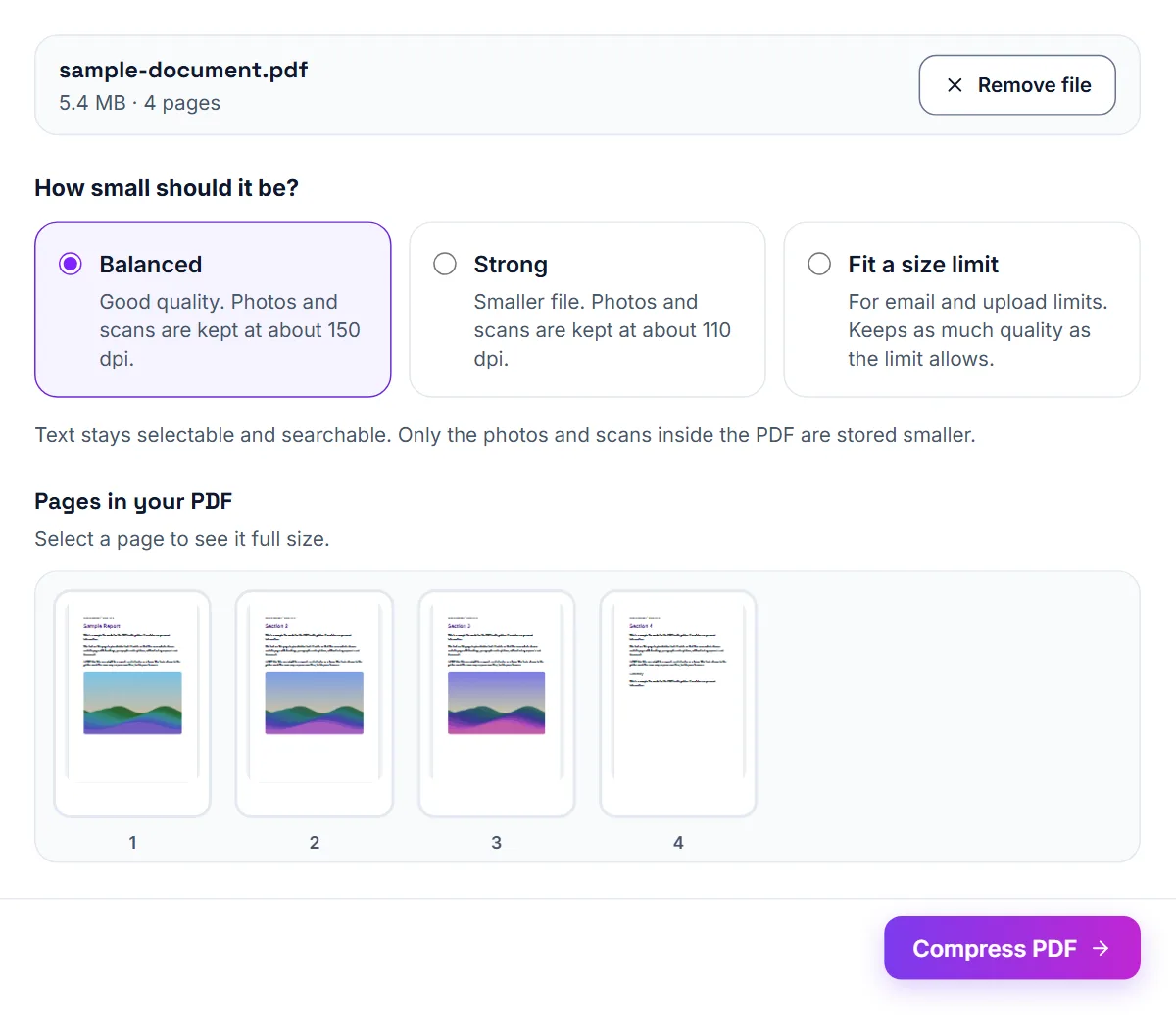
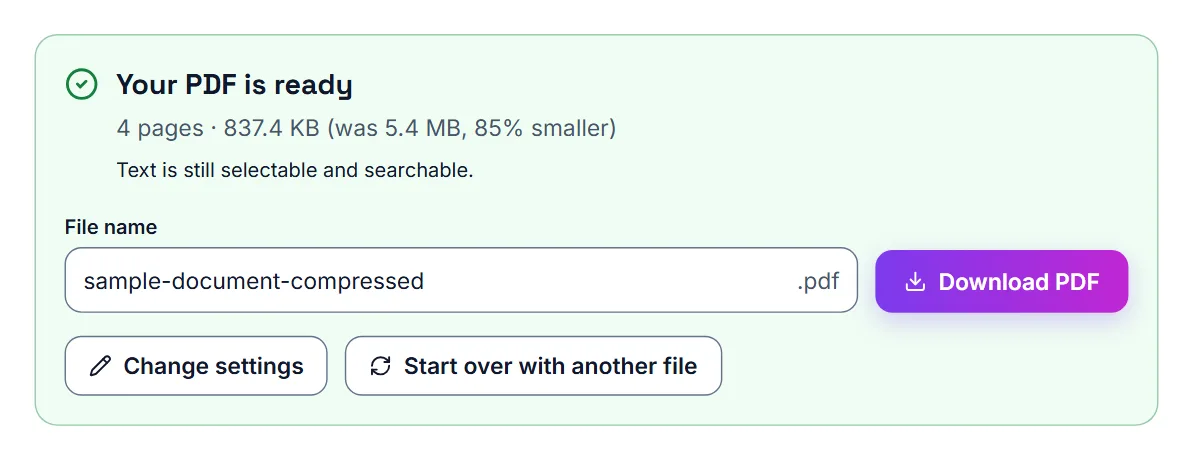
The quickest fix is to compress the PDF. Scanned documents and files with photos benefit most, while text-based PDFs are usually already small. Start with the Balanced setting and zoom in to confirm that small print, signatures and figures are still legible. This matters for contracts and financial documents, where clarity is essential.
If you know the limit, choose Fit a size limit in Compress PDF and the tool works to that number. For an email attachment, set it below the mailbox limit to allow for encoding: for a 25 MB mailbox, choose Another size… and enter 18 MB.
- Compress the PDF and check it is still readable
- Remove pages you do not need to send
- Split very large files into parts that fit the limit
- Send several smaller emails if the recipient prefers it
Options when compression is not enough
If the compressed file is still too big, change what you send rather than compressing harder.
- Split the PDF and send the parts in separate emails.
- Use Split PDF by File Size to cut the file into parts that each stay under a size you choose.
- Remove pages the recipient does not need.
- Share a link from your own cloud storage instead of an attachment.
When a link is better than an attachment
For very large files, a shared link from a cloud storage service is often more reliable than an attachment. Be careful with sensitive documents: use access controls, and consider adding a password with the protect PDF tool. If the recipient has told you their preferred method, use that.
How to send a PDF on WhatsApp
Sending it as a Document keeps the PDF intact; the receiver can open, save, or forward it like any other file.
- Open WhatsApp on your phone or computer.
- Open the chat where you want to send the file.
- Tap the attachment icon and select Document.
- Choose your PDF file.
- Send the file.
Why compress a PDF before sending on WhatsApp?
Smaller PDF files are easier to send through chats and easier for the receiver to download. This matters especially when someone is using mobile data, has limited phone storage, or needs to open the document quickly.
You do not need to email a file to yourself to shrink it
Many people first notice PDF size limits when a file is too large for email, job portals, school systems, or online forms. Because of that, they assume email is part of the process. It is not. The real goal is just to reduce the PDF file size before sending or uploading it.
Job and tax documents (United States)
New-hire paperwork, W-2s and 1099s sent to an accountant, scanned bank statements for a loan application, and signed offer letters or contracts are the documents most likely to hit an attachment limit — they're often scanned rather than digitally created, and scans compress far worse than text.
Banks, universities, employers and public bodies
Scanned ID and proof-of-address documents for a bank, a full set of academic transcripts for a college, a signed contract with supporting pages for an employer, or supporting evidence for a municipal service are the documents most likely to hit a size limit. They are usually scans, which compress far worse than a document exported directly from Word.
Institutional mail systems are set by their administrators and often allow less than the 25 MB of personal webmail. If a message bounces, ask what size they accept, or whether they have an upload portal for documents.
A note on scanning in the first place
If you're the one producing the scan (say, of a signed offer letter), scanning at a lower resolution than your scanner's default often avoids the problem before it starts — full print resolution is unnecessary for a document nobody plans to print.
Avoiding problems next time
If you regularly send large documents, ask the recipient what size they can accept before you start. It costs one short message and saves a failed submission on a tight deadline.
Where you can, send files earlier than you need to. That leaves room for a bounce or a request to resend in a different form, and it means a deadline is never lost to a technical limit you did not know about.
Check before you send
Open the smaller file and check that signatures, stamps and small print are still readable. Give it a clear name, and mention in the message if you split it into parts so the recipient knows how many to expect.
Portal file size limits
Every figure below comes from the official page linked next to it. Portals change their limits, so confirm on the portal before you submit.
| Portal | Document | Limit | Source |
|---|---|---|---|
| Gmail (personal accounts) | Attachments per email | 25 MB | Gmail Help: Send attachments |
| Outlook.com | Attachments per email | 25 MB | Microsoft Support: Sending limits in Outlook.com |
- Gmail Help: Send attachments: checked
- Microsoft Support: Sending limits in Outlook.com: checked
Frequently asked questions
What is the first thing to try with a large PDF?
Compress it first. That is usually the quickest fix.
What if the PDF is still too big after compression?
Split it into smaller files and send only the sections you need.
Should I compress before attaching the file?
Yes. It is better to reduce the file size first, then attach the smaller PDF.
Does this help with Gmail and Outlook?
Yes. Smaller PDFs are easier to send in any email service.
Do I need to email the file to make it smaller?
No. You can reduce the file size directly with a PDF compression tool.
Is compression useful before uploading to websites?
Yes. Many websites and portals reject large files, so compressing first helps.
What if I only need a few pages from the PDF?
You may also want to split the PDF and upload only the pages you need.
What is Gmail's attachment size limit?
25MB per message, according to Google's own Gmail help page. Larger files are automatically sent as a Google Drive link instead.