
PDF Guides
How to Merge PDF Files Online Free
Merging PDF files is useful when you need to combine multiple documents into one clean file. This is common for job applications, school submissions, government forms, invoices, receipts, real estate paperwork, and business documents.
By GaryLast updated 4 min read
Merge PDFsWhy merge PDF files?
Instead of sending many separate files, a merged PDF keeps everything in one place. This makes the document easier to upload, email, review, print, or save for records.
Common reasons to combine PDFs
- Combine a resume and cover letter into one PDF.
- Attach certificates or references to a job application.
- Merge scanned government forms and supporting documents.
- Put invoices, receipts, and statements into one file.
- Create one school assignment package from multiple files.
How to merge PDF files online
- Open the Merge PDF tool.
- Select the PDF files you want to combine.
- Check the order of the files before merging.
- Click the merge button.
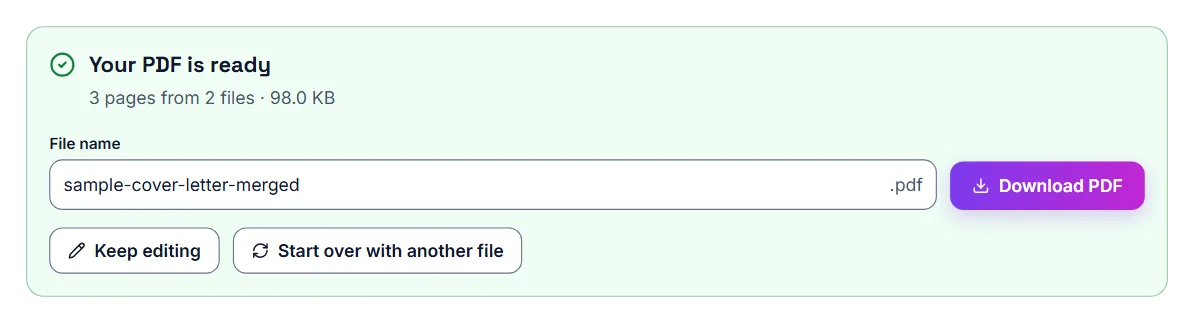
- Download your final combined PDF file.
Arranging files and pages before you merge
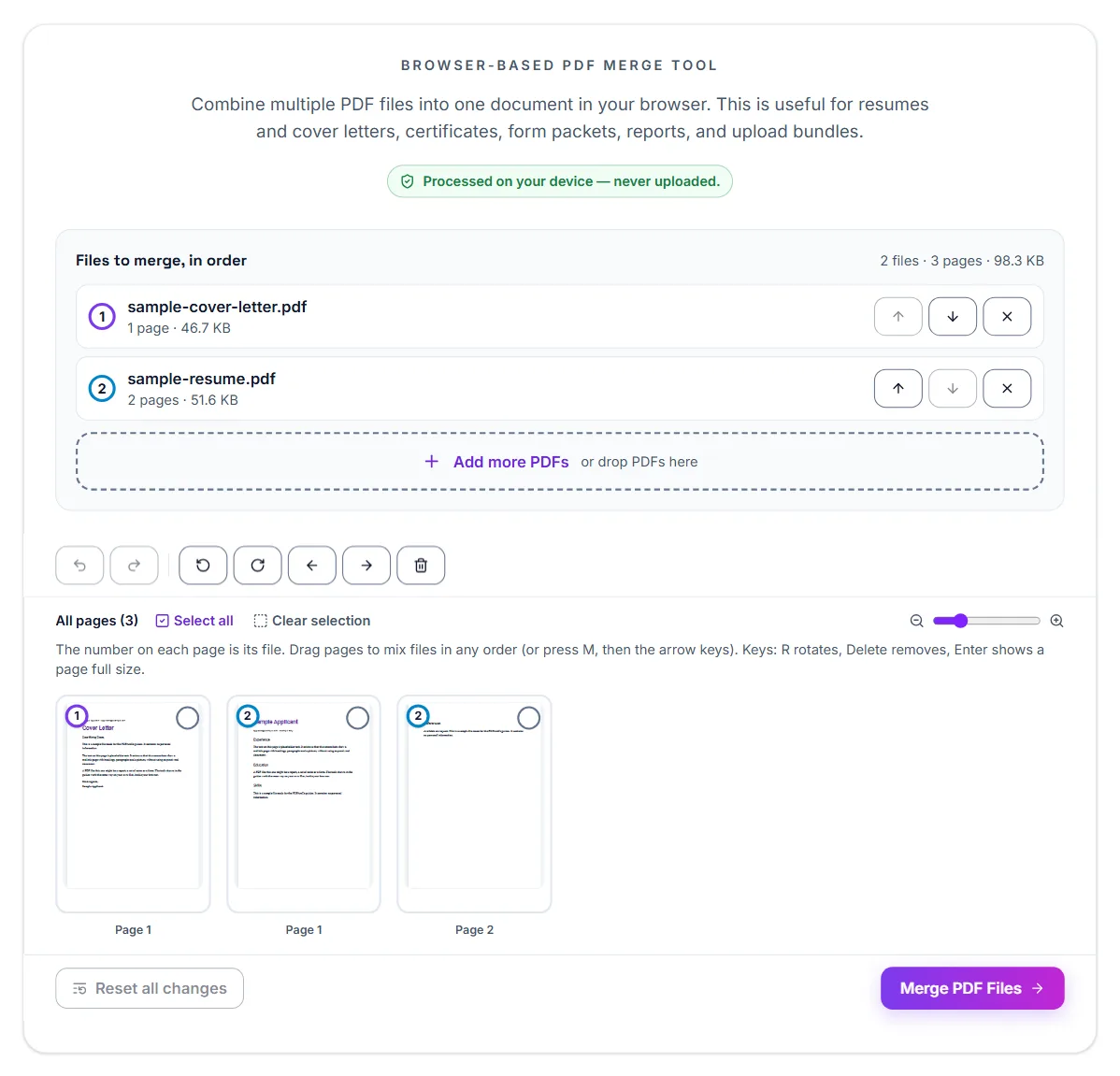
Once the files are added, each one appears in a list with its pages shown as thumbnails. Move a whole file up or down to change where it sits, or work on single pages: move a page earlier or later, rotate it, or delete it. Undo and Redo step back through your changes, and Add more PDFs brings in a file you forgot.
That makes it possible to drop a blank page from a scan or turn a sideways page upright in the same step, instead of fixing each file separately first.
Password-protected files
If one of the PDFs has a password, the tool asks for it when it opens the file. The merged PDF is not password-protected, so add a new password afterwards with Protect PDF if the combined file needs one.
Best practice before merging
Rename your files before adding them. For example, use file names like resume.pdf, cover-letter.pdf, certificates.pdf, and references.pdf. This helps you place them in the correct order.
Should you compress the merged PDF?
If your final file is too large for email or an upload portal, use the Compress PDF tool after merging. This is helpful when a website has a file size limit such as 500KB, 1MB, 2MB, or 5MB.
Bank statements for a mortgage or loan: why lenders want one file
Reviewing loan documents is faster for an underwriter when related statements arrive as a single file instead of a scattered set of separate uploads. Combining them yourself, in the right order, before submitting reduces back-and-forth requests to resend or reorganize documents.
Bank statements: getting the order right
Most lenders expect statements in chronological order, oldest to newest, with each full statement kept intact rather than split across pages. Download each monthly statement as its own PDF first, then merge them in date order into one file.
- Download each month's statement as a separate PDF from your bank
- Check that each file is a complete statement, not a partial page range
- Merge them in chronological order, oldest first
- Rename the final file clearly, e.g. with your name and the date range covered
Bank statements: if the combined file is too large
Bank statements with many transactions or scanned pages can add up in file size. If the merged file is too large for the lender's upload portal or email limit, compress it after merging — this usually solves the problem without needing to leave anything out.
Merge PDFs for job applications
Many job application portals allow only one upload for supporting documents. In that case, you can merge your resume, cover letter, certificates, and references into one organized PDF.
Merge PDFs for school or university
Students can use PDF merging to combine assignment pages, scanned forms, project documents, and supporting files into one submission package.
Check the result
After merging, open the final PDF once before sending it. Make sure the pages are in the correct order and that all important pages are included.
Your files stay on your device
Merging runs in your browser. The PDFs are read and combined on your own device and are not uploaded to a server, which matters for statements, IDs and contracts.
Frequently asked questions
What order should bank statements be combined in?
Most lenders expect chronological order, oldest statement first, with each month's statement kept complete rather than split up.
Should each statement be a separate file or all in one?
Check your specific lender's instructions, but combining them into one ordered PDF is commonly requested and easier for an underwriter to review.
What if the combined file is too large to upload?
Compress the merged PDF. This is usually enough to bring it under most portal or email size limits.
Is my file uploaded to a server when merging?
No, if you use a browser-based merge tool, everything happens on your own device.